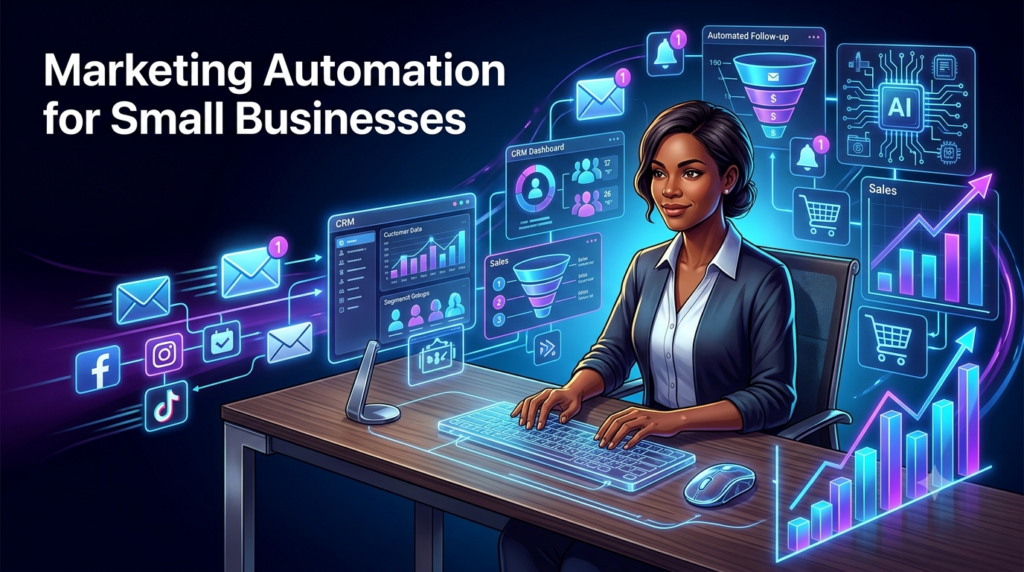
Marketing Automation for Small Businesses: Save Time & Increase Sales
Learn how marketing automation for small businesses can save time and increase sales with email automation, CRM automation, lead nurturing, AI, follow-ups, and more.
What If Your Business Could Market Itself While You Sleep?
Running a small business can feel like having ten jobs at once.
You need to attract new customers, respond to leads, send emails, follow up with prospects, post on social media, update your customer database, recover abandoned carts, and somehow find time to actually run the business.
The problem isn’t necessarily that you don’t have enough customers.
Sometimes, the problem is that too much of your marketing still depends on you remembering to do everything manually.
That’s where marketing automation for small business comes in.
Marketing automation allows businesses to use software to automatically perform repetitive marketing and sales tasks based on predefined rules, customer behavior, or specific triggers.
For example, instead of manually sending an email every time someone signs up for your newsletter, an automation tool can immediately send a welcome email.
If that person clicks a product link, another email can automatically be triggered.
If they add something to their shopping cart but don’t purchase, they can receive an abandoned-cart reminder.
And if a prospect becomes a customer, your CRM can automatically update their profile and place them into a different customer segment.
The result?
Less repetitive work, faster follow-ups, better customer experiences, and more opportunities to generate sales.
In this guide, we’ll explore how small businesses can use automated marketing, CRM automation, sales automation, email automation, AI, customer segmentation, and other systems to build a more efficient marketing machine.
Table of Contents
- What Is Marketing Automation?
- Why Marketing Automation Matters for Small Businesses
- How Marketing Automation Works
- Email Automation
- Automated Lead Generation
- Lead Nurturing
- CRM Automation
- Customer Segmentation
- Automated Follow-Ups
- Social Media Scheduling
- Abandoned-Cart Automation
- AI-Powered Marketing Automation
- Choosing Marketing Automation Software
- What Should and Shouldn’t Be Automated?
- Real-World Marketing Automation Examples
- How to Build Your First Automation System
- Measuring Marketing Automation ROI
- Common Mistakes to Avoid
- Frequently Asked Questions
- Conclusion
1. What Is Marketing Automation?
Marketing automation is the use of software to automatically execute repetitive marketing activities.
Instead of manually performing the same task repeatedly, you create a workflow that tells your software:
“When X happens, do Y.”
For example:
When someone downloads our free guide → add them to our email list → send a welcome email → wait two days → send an educational email → wait three days → send a product offer.
That’s automated marketing.
Marketing automation can cover activities such as:
- Email campaigns
- Lead generation
- Lead nurturing
- Customer segmentation
- CRM updates
- Sales follow-ups
- Social media scheduling
- Abandoned-cart recovery
- Customer onboarding
- Appointment reminders
- Promotional campaigns
- Personalized recommendations
The goal isn’t to remove humans from marketing.
The goal is to remove unnecessary manual work so humans can focus on strategy, creativity, customer relationships, and sales.
2. Why Marketing Automation Matters for Small Businesses
Large companies often have entire marketing departments.
Small businesses usually don’t.
A business owner might be responsible for marketing, customer service, sales, finances, operations, and social media.
Automation can help level the playing field.
Save Time
Imagine manually sending 100 follow-up emails every week.
With automation, you can create the sequence once and allow the system to handle repetitive follow-ups.
That gives you more time to work on higher-value activities.
Respond Faster
Speed matters.
A potential customer who submits an inquiry today may forget about your business tomorrow.
Automated responses allow you to acknowledge leads immediately.
For example:
Customer submits form → instant confirmation → sales notification → follow-up sequence.
Increase Consistency
Humans forget.
Automation doesn’t have to.
Instead of hoping someone remembers to follow up with every prospect, your system can automatically schedule follow-ups.
Improve Customer Experience
Automation can make communication feel more relevant when used correctly.
A new subscriber shouldn’t necessarily receive the same message as an existing customer.
Automation allows businesses to deliver different experiences based on customer behavior.
3. How Marketing Automation Works
Most marketing automation systems follow a simple structure:
Trigger → Condition → Action
Example:
Trigger: Customer signs up.
Condition: Customer selects “Business Plan.”
Action: Send a business-focused welcome email.
Another example:
Trigger: Customer adds product to cart.
Condition: Purchase hasn’t been completed after two hours.
Action: Send abandoned-cart reminder.
This logic can become increasingly sophisticated.
A workflow might look like:
Website visitor → lead form → CRM → segmentation → email sequence → sales follow-up → purchase → customer onboarding → retention campaign.
That’s where marketing automation becomes particularly powerful.
4. Email Automation
Email automation is one of the easiest places for a small business to begin.
Instead of sending every email manually, businesses can create automated sequences triggered by customer actions.
Common automated emails include:
- Welcome emails
- Confirmation emails
- Educational sequences
- Product recommendations
- Birthday messages
- Re-engagement campaigns
- Follow-up emails
- Customer onboarding
- Promotional campaigns
- Abandoned-cart emails
Example
Suppose you sell online marketing courses.
Someone signs up for your free “10 Digital Marketing Tips” guide.
You could create this sequence:
Immediately: Deliver the guide.
Day 1: Send a marketing tip.
Day 3: Explain a common marketing mistake.
Day 5: Share a case study.
Day 7: Introduce your paid course.
Day 10: Send a limited-time offer.
Instead of manually sending six emails to every subscriber, automation handles the sequence.
Actionable tip
Don’t create a massive 30-email automation sequence immediately.
Start with a simple 5-email welcome sequence and improve it based on results.
5. Automated Lead Generation
Marketing automation becomes much more useful when connected to your lead-generation system.
You can automatically capture potential customers through:
- Website forms
- Landing pages
- Free downloads
- Newsletter subscriptions
- Webinar registrations
- Consultation requests
- Quizzes
- Product demonstrations
Once someone provides their information, automation can move them into the appropriate workflow.
Example
A real estate company offers a free guide:
“First-Time Home Buyer’s Guide.”
A visitor enters their email address to download it.
Automation can then:
- Deliver the guide.
- Add the person to the CRM.
- Categorize them as a potential buyer.
- Send educational content.
- Ask what type of property they’re interested in.
- Notify a salesperson when the lead becomes highly engaged.
That’s considerably more efficient than managing every lead manually.
6. Lead Nurturing
Not every lead is ready to buy immediately.
Someone might discover your business today and purchase three months from now.
That’s why lead nurturing is important.
Lead nurturing involves maintaining communication with prospects until they become ready to purchase.
An automated nurturing sequence could include:
Email 1: Welcome
Email 2: Educational content
Email 3: Customer success story
Email 4: Product explanation
Email 5: Frequently asked questions
Email 6: Offer or consultation
The important principle is:
Don’t constantly sell.
Teach first.
Build trust.
Demonstrate expertise.
Then make the offer.
7. CRM Automation
A CRM, or Customer Relationship Management system, stores information about your customers and prospects.
CRM automation allows your system to automatically perform tasks based on customer activity.
For example:
New lead enters CRM → assign lead to salesperson → create follow-up task → send confirmation email → update lead status.
You can automate:
- Lead assignment
- Contact updates
- Follow-up reminders
- Sales notifications
- Customer categorization
- Deal-stage changes
- Task creation
- Customer onboarding
- Sales reporting
This can significantly reduce administrative work.
8. Customer Segmentation
One of the biggest mistakes businesses make is treating every customer exactly the same.
Customer segmentation allows you to divide your audience into groups based on factors such as:
- Location
- Age
- Interests
- Purchase history
- Spending behavior
- Engagement
- Products purchased
- Customer status
- Website behavior
For example, an online clothing store might create segments for:
| Segment | Example Marketing |
| New visitors | Educational content |
| New subscribers | Welcome sequence |
| First-time buyers | Cross-selling |
| Repeat customers | Loyalty offers |
| Inactive customers | Re-engagement |
| High-value customers | VIP promotions |
The more relevant your communication becomes, the less likely your marketing will feel like spam.
9. Automated Follow-Ups
Follow-up is where many sales opportunities disappear.
A prospect might say:
“I’ll think about it.”
Then everyone gets busy.
Three weeks later, nobody remembers what happened.
Automated follow-ups help prevent this.
For example:
Day 0: Initial inquiry response
Day 2: Helpful information
Day 5: Customer testimonial
Day 8: Answer common objections
Day 14: Final follow-up
A salesperson can still step in when necessary, but automation handles the routine communication.
Actionable tip
Build follow-up sequences around customer behavior, not simply dates.
For example:
If prospect opens the proposal but doesn’t respond → send follow-up.
That’s more intelligent than sending the same message to everyone.
10. Social Media Scheduling
Social media marketing can consume hours.
Automation tools can help businesses schedule posts in advance.
Instead of opening your social accounts every morning, you can prepare a week’s or month’s worth of content and schedule it.
You can schedule:
- Educational posts
- Product announcements
- Blog articles
- Promotional content
- Videos
- Customer testimonials
- Industry news
However, social media shouldn’t become completely robotic.
Automation should handle publishing, while humans should still handle:
- Comments
- Customer questions
- Conversations
- Sensitive topics
- Community engagement
A scheduled post can create visibility.
A human conversation creates relationships.
11. Abandoned-Cart Automation
For e-commerce businesses, abandoned-cart automation can be extremely valuable.
A customer adds something to their cart but leaves without purchasing.
Instead of losing the customer completely, your system can automatically send a reminder.
For example:
Email 1 — Reminder
“You left something behind.”
Email 2 — Benefits
“Here’s why customers love this product.”
Email 3 — Incentive
“Complete your purchase and receive 10% off.”
The exact timing and incentives should depend on the business.
Not every abandoned cart needs a discount.
Sometimes the customer simply needs a reminder.
12. AI-Powered Marketing Automation
AI is making marketing automation considerably more sophisticated.
Traditional automation usually follows predetermined rules.
AI can help analyze information and generate recommendations or content.
AI-powered marketing applications include:
- Content generation
- Email personalization
- Customer behavior analysis
- Lead scoring
- Chatbots
- Product recommendations
- Ad optimization
- Customer-service assistance
- Predictive analytics
For example, an AI system might identify that a particular customer frequently purchases technology products and automatically recommend related products.
However, AI shouldn’t operate without supervision.
Automation should amplify good marketing—not automate bad marketing faster.
Always review AI-generated content, especially customer-facing communications.
13. Choosing Marketing Automation Software
There isn’t one perfect marketing automation tool for every small business.
Your choice depends on your needs, budget, technical ability, and marketing channels.
Here are some categories to consider:
| Type of Tool | Best For | Typical Automation |
| Email platforms | Email marketing | Welcome sequences, campaigns |
| CRM platforms | Sales management | Lead tracking, follow-ups |
| All-in-one platforms | Growing businesses | Marketing + CRM + sales |
| Social schedulers | Social media | Scheduled publishing |
| E-commerce platforms | Online stores | Cart recovery, customer journeys |
| AI tools | Content & analysis | Personalization, content creation |
When evaluating marketing automation tools, consider:
1. Ease of use
A powerful platform isn’t useful if you can’t figure out how to operate it.
2. Integrations
Make sure it works with your website, CRM, email platform, payment system, and other important tools.
3. Pricing
Don’t pay for enterprise features you don’t need.
4. Scalability
Choose software that can grow with your business.
5. Analytics
You need to know whether automation is actually producing results.
14. What Should and Shouldn’t Be Automated?
This is one of the most important questions.
Automation isn’t automatically good just because something can be automated.
Good Candidates for Automation
Automate repetitive, predictable tasks such as:
- Welcome emails
- Appointment reminders
- Lead notifications
- Follow-up sequences
- Social publishing
- CRM updates
- Customer onboarding
- Abandoned-cart reminders
- Email segmentation
Things You Should Be Careful Automating
Avoid completely automating:
- Sensitive customer complaints
- Important negotiations
- Crisis communication
- Complex sales conversations
- Personal relationship-building
- High-value customer interactions
Simple rule:
Automate repetition. Keep relationships human.
15. Real-World Marketing Automation Examples
Example 1: Small E-Commerce Store
Imagine a small skincare brand.
A customer visits the website and subscribes to receive 10% off.
Automation could:
- Send the discount code.
- Add the customer to the email database.
- Categorize them as a new subscriber.
- Send skincare education.
- Recommend products based on interests.
- Send an abandoned-cart email if necessary.
- Request a review after purchase.
- Recommend complementary products later.
The business owner doesn’t have to manually manage every interaction.
Example 2: Local Service Business
Imagine a cleaning company.
Someone submits a quote request.
Automation could:
Immediately: Confirm the request.
After 1 hour: Notify the sales team.
After 24 hours: Send helpful information.
After 48 hours: Follow up if no response.
After booking: Send appointment details.
After service: Request a review.
That’s a complete automated customer journey.
Example 3: B2B Business
A software company receives a lead through its website.
Automation can:
- Add the lead to the CRM.
- Score the lead.
- Notify sales.
- Send educational content.
- Track website engagement.
- Trigger a demo invitation.
- Move the lead through sales stages.
This combines marketing automation + sales automation + CRM automation.
16. How to Build Your First Automation System
You don’t need 50 workflows.
Start small.
Step 1: Identify Your Biggest Time-Waster
Ask:
“What marketing task do I repeatedly perform every week?”
That is often your first automation opportunity.
Step 2: Map Your Customer Journey
Write down:
Visitor → Lead → Prospect → Customer → Repeat Customer
Then identify what happens at each stage.
Step 3: Choose One Workflow
For example:
New subscriber → welcome email sequence.
Step 4: Create the Trigger
Define what starts the automation.
Example:
Customer submits email form.
Step 5: Create the Actions
Determine what happens afterward.
Example:
- Send email.
- Wait two days.
- Send educational content.
- Wait three days.
- Send offer.
Step 6: Test Everything
Don’t assume your automation works.
Test it yourself.
Check:
- Emails
- Links
- Timing
- Personalization
- Mobile display
- CRM updates
Step 7: Measure Results
Look at performance before deciding whether the automation is successful.
17. Measuring Marketing Automation ROI
Automation isn’t valuable simply because it saves time.
It should ideally contribute to business growth.
A basic ROI calculation is:
Marketing Automation ROI = (Revenue Generated − Automation Costs) ÷ Automation Costs × 100
For example:
Suppose your automation software costs $100 per month.
Your automated campaigns generate an additional $600 in attributable revenue.
Your simplified ROI would be:
($600 − $100) ÷ $100 × 100 = 500%
However, don’t measure only revenue.
Track:
- Leads generated
- Conversion rate
- Email open rate
- Click-through rate
- Sales
- Customer retention
- Average order value
- Cost per lead
- Time saved
- Customer lifetime value
Time savings matter too.
If automation saves you 15 hours every month, those hours have economic value.
You can spend that time on sales, product development, customer relationships, or strategic planning.
18. Common Marketing Automation Mistakes
Mistake #1: Automating Everything
More automation doesn’t necessarily mean better marketing.
Some interactions need humans.
Mistake #2: Sending Too Many Emails
Automation makes sending emails easy.
That’s precisely why you need restraint.
Don’t bombard customers simply because your software allows it.
Mistake #3: Poor Segmentation
Sending identical messages to completely different audiences reduces relevance.
Mistake #4: Forgetting to Test
A broken automation can send the wrong message to thousands of customers.
Always test workflows.
Mistake #5: Ignoring Analytics
If you don’t measure performance, you won’t know whether your automation is actually working.
Mistake #6: Buying Too Much Software
A small business doesn’t necessarily need an expensive enterprise marketing stack.
Start with the problems you need to solve.
Frequently Asked Questions
What is marketing automation for small businesses?
Marketing automation for small business involves using software to automatically perform repetitive marketing and sales tasks, such as email campaigns, lead nurturing, customer segmentation, follow-ups, CRM updates, and social media scheduling.
Is marketing automation expensive?
It doesn’t have to be. Many marketing automation tools offer affordable plans designed for small businesses, while some offer free tiers or basic functionality.
The key is choosing software that matches your current needs.
What is the difference between marketing automation and CRM automation?
Marketing automation generally focuses on marketing activities such as email campaigns, lead nurturing, segmentation, and customer communication.
CRM automation focuses more heavily on managing customer and prospect information, sales processes, follow-ups, and customer relationships.
The two often work together.
Can a small business use AI for marketing automation?
Yes. AI can assist with content creation, personalization, customer analysis, lead scoring, recommendations, chatbots, and other marketing activities.
However, human oversight remains important.
What should a small business automate first?
Start with a repetitive task that happens frequently and follows a predictable process.
A welcome email sequence, lead follow-up, appointment reminder, or abandoned-cart workflow can be a good starting point.
Does automation replace marketing employees?
Not necessarily.
Automation is primarily designed to reduce repetitive work.
People can then focus on strategy, creativity, customer relationships, sales, and more complex tasks.
How can I know whether marketing automation is working?
Track metrics such as leads, conversion rates, sales, customer retention, email engagement, cost per acquisition, revenue, and time saved.
Compare performance before and after implementing automation.
Can marketing automation increase sales?
Yes, when implemented strategically.
Automation can help businesses respond faster, nurture leads, recover abandoned purchases, follow up consistently, personalize communication, and retain customers.
However, automation itself doesn’t guarantee sales. The underlying marketing strategy still matters.
Conclusion: Build a Business That Doesn’t Depend on You Doing Everything
Small businesses don’t necessarily lose customers because their products are bad.
Sometimes they lose customers because they’re too busy to follow up.
A lead doesn’t get contacted.
An email doesn’t get sent.
A customer forgets about the business.
An abandoned cart never gets recovered.
A potential buyer doesn’t receive the information they need to make a decision.
Marketing automation can help solve these problems.
By using email automation, lead generation, lead nurturing, CRM automation, customer segmentation, automated follow-ups, social media scheduling, abandoned-cart campaigns, and AI-powered marketing, small businesses can create systems that work consistently in the background.
But there’s an important distinction:
The goal isn’t to automate your business into sounding like a robot.
The goal is to automate the repetitive parts so you have more time to be human where it matters.
Start with one workflow.
Automate one repetitive task.
Measure the result.
Improve it.
Then build the next workflow.
Over time, these small systems can become a powerful marketing engine—one that saves time, improves customer experiences, and creates more opportunities for sales without requiring you to manually manage every interaction.
The best automation isn’t the one with the most complicated technology.
It’s the one that quietly gets important work done while you focus on growing the business.
