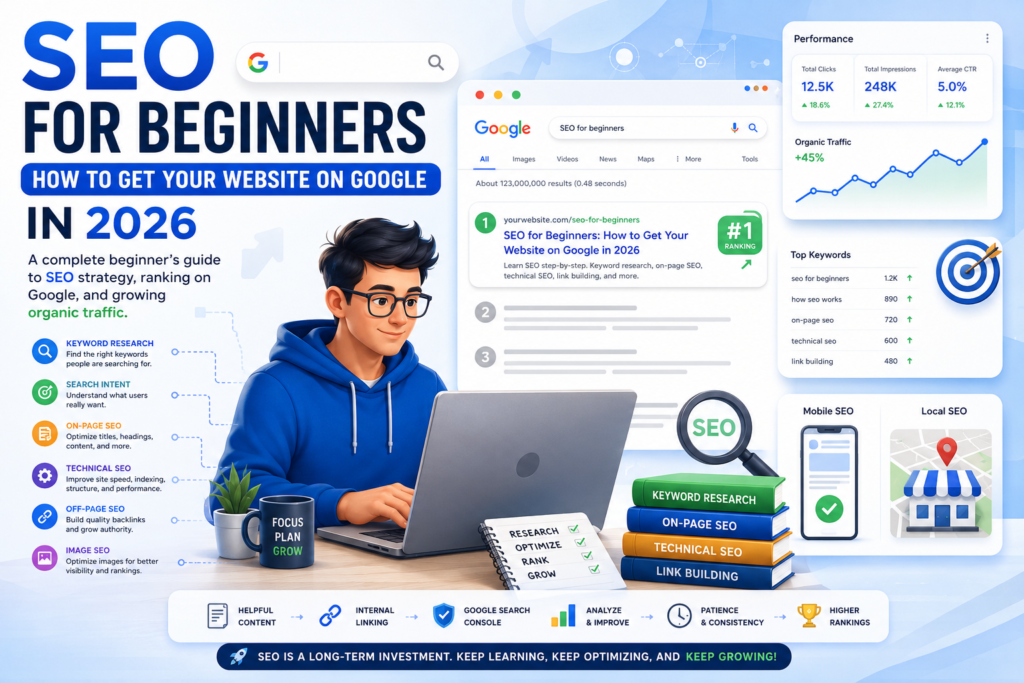
SEO for Beginners: How to Get Your Website on Google in 2026
Learn SEO for beginners in 2026 with this step-by-step guide to Google SEO, keyword research, on-page SEO, technical SEO, link building, search intent, and more.
Your Website Doesn’t Have to Stay Invisible
You can build a beautiful website, publish dozens of articles, create helpful resources, and still hear the digital equivalent of crickets.
Why?
Because creating a website and getting people to discover it are two completely different things.
Every day, people search Google for answers to questions, products to buy, problems to solve, businesses to hire, software to use, and information to learn. The opportunity for website owners is enormous—but your website needs to be discoverable.
That’s where SEO for beginners comes in.
Search engine optimization, commonly called SEO, is the process of improving your website and content so search engines can understand it and users can find it through search.
Google explains SEO as helping search engines understand your content while helping users discover your website through search. However, there is no secret technique that automatically puts a website in position one. (Google for Developers)
The good news?
You don’t need to be an SEO expert, programmer, or marketing agency to start.
You can build a solid SEO strategy by understanding a few fundamentals: how Google Search works, what people are searching for, why they’re searching, how to create useful content, and how to make your website easy for both people and search engines to navigate.
This guide will walk you through exactly how to do that in 2026.
Table of Contents
- What Is SEO?
- How SEO Works
- How Google Search Works
- Keyword Research
- Understanding Search Intent
- Building an SEO Strategy
- On-Page SEO
- Technical SEO
- Internal Linking
- Link Building and Off-Page SEO
- Image SEO
- Local SEO
- Mobile SEO
- Creating Helpful Content
- Common SEO Mistakes
- How Long Does SEO Take?
- A Simple SEO Checklist for Beginners
- Frequently Asked Questions
- Conclusion
1. What Is SEO?
SEO stands for Search Engine Optimization.
In simple terms, SEO is about making your website easier for search engines to:
- Discover
- Crawl
- Understand
- Index
- Rank
- Show to relevant users
Imagine you own a website about technology.
You publish an article titled:
“Best AI Tools for Small Businesses in 2026.”
Someone searches Google for:
“best AI tools for small business.”
Your goal is to create a page that clearly answers that searcher’s question and is technically accessible to Google.
SEO involves everything from the words you use on your page to your website structure, internal links, images, mobile experience, technical setup, and external references from other websites.
Importantly, SEO is not the same thing as paying for Google Ads.
You don’t pay Google simply to have an organic page appear in Google Search. Google states that meeting its Search Essentials makes content eligible to appear, but does not guarantee that Google will crawl, index, or serve a particular page. (Google for Developers)
2. How SEO Works
Understanding how SEO works becomes much easier when you stop thinking of Google as a giant list of websites.
Google has to discover and understand an enormous amount of information before deciding which pages may be useful for a particular search.
At a basic level, Google Search operates through three major stages:
Crawling
Google uses automated programs called crawlers to discover pages and download information from them.
Indexing
Google analyzes the information it discovers and stores relevant information in its search index.
Serving Search Results
When someone searches, Google’s systems identify pages that may be relevant and return results based on factors including relevance, quality, and context.
Google describes these as the three fundamental stages of Search: crawling, indexing, and serving search results. (Google for Developers)
This means there’s an important distinction:
Published does not automatically mean indexed.
And:
Indexed does not automatically mean highly ranked.
That’s why SEO has both technical and content components.
3. How Google Search Works
Think about Google as a librarian.
You walk into a huge library and ask:
“What are the best laptops for college students?”
The librarian doesn’t randomly grab the first book they see.
They look for information that best matches your request.
Google works similarly, although on a vastly larger and more complicated scale.
Google considers the query and searches its index for potentially relevant information.
The results can also vary depending on factors such as location, language, device, and the type of query being searched. (Google for Developers)
For example:
Someone searching:
“best restaurants near me”
has a completely different intent from someone searching:
“how to start a restaurant.”
The first search has strong local intent.
The second is informational.
Understanding this difference is one of the foundations of successful Google SEO.
4. Keyword Research: Find What People Actually Search For
One of the first steps in SEO for beginners is keyword research.
A keyword is a word or phrase people type into a search engine.
Examples include:
- SEO for beginners
- best laptops for students
- how to start a blog
- best accounting software for small businesses
- how to save money
- digital marketing strategies
- AI tools for business
Instead of guessing what your audience wants, keyword research helps you identify topics people are actually searching for.
Start With Seed Keywords
A seed keyword is a broad topic that describes your niche.
For a technology website, examples could include:
- AI
- cybersecurity
- smartphones
- laptops
- software
- cloud computing
You can then expand these into more specific searches.
For example:
AI
could become:
- best AI tools for students
- best AI tools for small businesses
- AI productivity tools
- how to use AI for marketing
- AI writing tools
Don’t Only Chase Huge Keywords
A common beginner mistake is trying to rank for extremely competitive keywords immediately.
For example:
“AI”
is incredibly broad.
But:
“best AI tools for small businesses in 2026”
is much more specific.
Specific searches often give you a clearer understanding of what the searcher wants.
Beginner SEO Tip
Don’t ask:
“What’s the biggest keyword I can rank for?”
Ask:
“What useful question can I answer better than the existing results?”
That mindset produces much stronger content.
5. Understand Search Intent
Keyword research tells you what people search for.
Search intent tells you why they’re searching.
There are several common types of search intent.
| Search Intent | Example Search | What the User Wants |
| Informational | How does SEO work? | Information |
| Commercial | Best SEO tools | Compare options |
| Transactional | Buy SEO software | Make a purchase |
| Navigational | Ahrefs login | Find a specific website |
| Local | SEO agency near me | Find a local business |
Consider the keyword:
“best laptops for students.”
A user probably wants recommendations and comparisons.
If you create a 500-word definition of laptops, you’ve missed the intent.
Instead, your article should probably include:
- Recommended laptops
- Features
- Prices
- Pros and cons
- Comparison
- Buying considerations
Matching search intent is one of the most important parts of an effective SEO strategy.
6. Build an SEO Strategy
SEO works better when you have a plan.
Instead of publishing random articles every day, organize your website around related topics.
For example, imagine your main topic is:
Digital Marketing
You could create a pillar article:
Digital Marketing for Beginners
Then supporting articles could cover:
- SEO for beginners
- Email marketing
- Social media marketing
- Content marketing
- PPC advertising
- Influencer marketing
- Local SEO
These pages can then link to one another naturally.
This creates topical relationships that make your website easier to navigate and gives readers additional useful resources.
A Simple SEO Strategy
Use this process:
Research → Plan → Create → Optimize → Publish → Link → Monitor → Improve
Don’t treat SEO as something you do once.
SEO is an ongoing process.
7. On-Page SEO
On-page SEO involves optimizing elements on your actual webpage.
Important elements include:
Page Title
Your title should clearly describe what the page is about.
For example:
SEO for Beginners: How to Get Your Website on Google in 2026
is much clearer than:
Everything You Need to Know About Websites
Headings
Use headings to organize your content.
Your main title should generally be the H1.
Then use H2s for major sections and H3s for subsections where appropriate.
Keywords
Use your primary keyword naturally.
Don’t repeat the same phrase dozens of times simply because you think Google needs to see it.
Google’s current guidance emphasizes useful, unique, readable content rather than writing primarily for search-engine manipulation. (Google for Developers)
URLs
Keep URLs simple and descriptive.
Good:
example.com/seo-for-beginners/
Less useful:
Meta Descriptions
A meta description can help communicate what a page is about and encourage users to click from search results.
Write it for humans.
8. Technical SEO
Technical SEO focuses on making your website accessible, crawlable, understandable, and usable.
You don’t necessarily need to become a developer to understand the basics.
Pay attention to:
- Website speed
- Mobile usability
- HTTPS
- Crawlability
- Indexing
- XML sitemap
- Robots.txt
- Broken links
- Redirects
- Canonical URLs
- Duplicate content
- Site architecture
Google’s Search Essentials identify technical requirements as a foundational part of being eligible to appear in Search. (Google for Developers)
Check Your Indexing
Google Search Console is one of the most useful free tools for website owners.
It can help you understand whether Google can find and index your pages and how your website performs in Google Search. (Google for Developers)
For beginners, Search Console should become part of your regular SEO routine.
9. Internal Linking
Internal links connect one page on your website to another page on the same website.
For example, if you have an article about SEO, you could naturally link to your article about:
How to Start a Blog
You could also link from that article back to your SEO guide.
Internal linking helps users discover related content and helps search engines understand relationships between pages.
A Simple Internal Linking Strategy
When publishing a new article:
- Link to relevant older articles.
- Find older articles that could link to the new article.
- Use descriptive anchor text.
- Avoid stuffing links everywhere.
- Prioritize links that genuinely help the reader.
Instead of:
Click here
use descriptive wording such as:
our beginner’s guide to keyword research
when that accurately describes the destination.
10. Link Building and Off-Page SEO
Off-page SEO refers to activities outside your website that can contribute to your site’s visibility and reputation.
One major component is link building.
A backlink is a link from another website to yours.
For example:
A respected marketing website publishes an article about SEO tools and links to your detailed SEO guide.
That can introduce new visitors to your site and potentially contribute to your site’s authority and visibility.
But there’s an important warning.
Don’t treat backlinks as a numbers game.
Buying or manipulating links can violate Google’s spam policies. Google specifically identifies practices intended to manipulate rankings as spam, and violations can lead to lower rankings or removal from search results. (Google for Developers)
Better Ways to Earn Links
Create resources people genuinely want to reference.
Examples include:
- Original research
- Useful statistics
- Detailed guides
- Free tools
- Original case studies
- Industry reports
- Expert interviews
- Unique comparisons
- Helpful templates
The goal isn’t:
“How can I get 1,000 backlinks?”
The better question is:
“What can I create that another website would genuinely want to reference?”
11. Image SEO
Images aren’t just decoration.
They can contribute to the usefulness and discoverability of your content.
Good image SEO includes:
Descriptive File Names
Instead of:
IMG12345.jpg
use something descriptive such as:
seo-for-beginners-google-search.jpg
Alt Text
Use meaningful alt text when appropriate.
For example:
alt=“SEO strategy showing keyword research and Google Search rankings”
Don’t use alt text as a place to stuff keywords.
Compress Images
Large images can slow down your website.
Use appropriately sized, optimized images while maintaining reasonable visual quality.
Use Relevant Images
Your images should support the content rather than simply filling empty space.
12. Local SEO
If you operate a local business, local SEO can be extremely valuable.
Imagine someone searches:
“best dentist in Toronto.”
They aren’t necessarily looking for a worldwide article about dentistry.
They want a nearby business.
Local SEO can involve:
- Accurate business information
- Google Business Profile
- Local citations
- Reviews
- Location-specific pages
- Local content
- Relevant local links
Make sure your business name, address, phone number, website, and other important information are accurate and consistent.
For local businesses, being visible for relevant local searches can be more valuable than ranking for broad national keywords.
13. Mobile SEO
Most modern websites need to work well on smartphones.
A visitor shouldn’t have to pinch, zoom, or fight with your website just to read an article.
Check your website on:
- iPhones
- Android phones
- Tablets
- Desktop computers
Look for:
- Readable text
- Easy navigation
- Buttons that are easy to tap
- Fast loading
- Properly sized images
- No intrusive elements covering the content
Mobile SEO isn’t just about satisfying search engines.
It’s about providing a good experience for the people actually visiting your website.
14. Helpful Content: The Heart of Modern SEO
This is where SEO has changed dramatically.
A website shouldn’t exist simply to produce pages targeting keywords.
It should exist to help people.
Google says its automated ranking systems are designed to prioritize helpful, reliable information created to benefit people rather than content created primarily to manipulate search rankings. (Google for Developers)
Ask yourself:
- Does this article actually answer the question?
- Is the information accurate?
- Is it original?
- Is it easy to understand?
- Does it provide useful examples?
- Does it go beyond what the reader already knows?
- Is it up to date?
- Would I recommend this page to someone?
Google’s SEO Starter Guide similarly emphasizes content that is useful, readable, unique, and kept up to date. (Google for Developers)
What About AI-Generated Content?
Using AI tools isn’t automatically a shortcut to SEO success—or failure.
The important issue is the value of the final content.
Google’s spam policies specifically warn against scaled content abuse, including producing large amounts of unoriginal content primarily to manipulate rankings. The policy applies regardless of whether automation or generative AI is involved. (Google for Developers)
So if you use AI to help with research, brainstorming, outlining, editing, or drafting, make sure the finished article provides genuine value.
Add:
- Original analysis
- Examples
- Experience
- Useful comparisons
- Accurate information
- Clear explanations
- Human editorial judgment
Don’t simply generate hundreds of near-identical articles and hope Google rewards the volume.
15. Common SEO Mistakes Beginners Make
SEO mistakes can waste months of work.
Here are some of the most common.
Mistake 1: Keyword Stuffing
Repeating:
“SEO for beginners”
in every paragraph doesn’t make an article better.
Write naturally.
Mistake 2: Targeting Extremely Competitive Keywords
A brand-new website may struggle to compete immediately for huge keywords.
Start with realistic opportunities.
Mistake 3: Ignoring Search Intent
If the searcher wants a product comparison, don’t give them a dictionary definition.
Mistake 4: Publishing Thin Content
A page doesn’t become useful just because it contains 2,000 words.
Length should serve the topic.
Mistake 5: Buying Spammy Backlinks
Manipulative link schemes can create serious SEO problems.
Mistake 6: Ignoring Internal Links
Don’t leave useful pages isolated from the rest of your website.
Mistake 7: Forgetting Mobile Users
A beautiful desktop website can still provide a terrible smartphone experience.
Mistake 8: Publishing Without Monitoring
You need data to understand what’s working.
Use Search Console to monitor impressions, clicks, queries, and pages appearing in Search.
16. How Long Does SEO Take?
This is probably the question every beginner eventually asks:
“How long until my website ranks on Google?”
Unfortunately, there is no universal answer.
A brand-new website might begin appearing for some searches relatively quickly, while meaningful traffic growth can take considerably longer.
Your timeline can depend on:
- Website age
- Competition
- Content quality
- Search intent
- Technical health
- Backlinks
- Topic authority
- Keyword difficulty
- Publishing consistency
- Search demand
Don’t judge your SEO strategy after one week.
Instead, think in months rather than days.
A practical beginner approach is:
Months 1–2
Build your technical foundation and publish useful content.
Months 3–6
Monitor rankings, impressions, clicks, and indexing. Improve pages based on what you learn.
Months 6–12+
Continue publishing, updating, building authority, earning relevant links, and improving your best-performing content.
These aren’t guarantees. SEO doesn’t operate on a fixed timetable.
Google itself states that following its requirements and best practices doesn’t guarantee that a page will be crawled, indexed, or served in search results. (Google for Developers)
The goal should therefore be consistent improvement rather than obsessing over a specific ranking deadline.
17. SEO Checklist for Beginners
Before publishing an article, run through this checklist.
Keyword Research
☐ Did I identify a relevant keyword?
☐ Do I understand what the searcher wants?
☐ Is the keyword relevant to my website?
Content
☐ Does the article answer the main question?
☐ Is the information accurate?
☐ Is it original and useful?
☐ Did I include examples?
☐ Did I organize the article with headings?
On-Page SEO
☐ Is the title descriptive?
☐ Is the primary keyword used naturally?
☐ Is the URL clean?
☐ Is the meta description compelling?
☐ Are images optimized?
Technical SEO
☐ Can Google access the page?
☐ Is the page indexable?
☐ Does the website work well on mobile?
☐ Is the page reasonably fast?
☐ Are there broken links?
Internal Linking
☐ Did I link to relevant articles?
☐ Can relevant older articles link back to this page?
After Publishing
☐ Check the page in Google Search Console.
☐ Monitor impressions and clicks.
☐ Look for queries the page is appearing for.
☐ Update the article as new information becomes available.
18. SEO Tools Beginners Should Know
You don’t need dozens of expensive tools to begin.
Start with a small toolkit.
| Tool | Main Purpose | Beginner Use |
| Google Search Console | Search performance and indexing | Essential |
| Google Analytics | Website traffic analysis | Very useful |
| Google Trends | Search interest trends | Useful |
| Keyword research tools | Keyword discovery | Useful |
| Page-speed testing tools | Performance checks | Useful |
| SEO crawlers | Technical audits | More advanced |
The most important thing isn’t how many tools you own.
It’s how well you use the information they provide.
19. A Simple Real-World SEO Example
Imagine you’re starting a website about small business technology.
You want to publish an article targeting:
“best AI tools for small businesses.”
Here’s how you could approach it.
Step 1: Understand Intent
The searcher probably wants recommendations.
Step 2: Research Related Searches
Look for related topics such as:
- AI tools for marketing
- AI productivity tools
- AI customer service tools
- AI accounting tools
- AI writing tools
Step 3: Create a Comprehensive Article
Include:
- An introduction
- List of tools
- What each tool does
- Pricing information
- Pros and cons
- Best use cases
- Comparison table
- FAQs
Step 4: Optimize the Page
Create a descriptive title, logical headings, clean URL, useful images, and relevant internal links.
Step 5: Publish and Monitor
Submit or inspect the URL through Search Console and monitor how Google discovers and serves the page.
Step 6: Improve
After collecting data, update sections that need improvement.
That’s SEO in practice.
It’s not magic.
It’s a continuous process of understanding users, creating useful content, making your website accessible, and improving based on evidence.
20. Frequently Asked Questions About SEO for Beginners
What is SEO for beginners?
SEO for beginners is the process of learning the fundamentals of search engine optimization, including keyword research, search intent, on-page SEO, technical SEO, internal linking, backlinks, and content optimization.
How do I get my website on Google?
Start by making sure Google can access and understand your website, create useful content, and follow Google’s Search Essentials. Google automatically discovers many pages through crawling, although indexing and appearing prominently in results are not guaranteed. (Google for Developers)
Is SEO free?
Organic SEO does not require paying Google to rank your pages. However, you may choose to pay for SEO tools, professional services, content production, hosting, or other resources.
How long does SEO take to work?
There is no guaranteed timeline. Some pages can appear in search relatively quickly, while meaningful organic traffic growth can take months or longer depending on competition, content quality, website authority, technical factors, and other variables.
Do I need backlinks to rank?
Backlinks can be valuable, but they aren’t the only component of SEO. Your content must also be relevant, useful, accessible, and technically sound.
Is keyword density important?
Don’t focus on hitting a specific keyword density percentage. Use important terms naturally and concentrate on answering the searcher’s question.
Can AI-generated content rank on Google?
Content should be created to provide value rather than primarily manipulate rankings. Google’s spam policies specifically address scaled content abuse, including large volumes of unoriginal content produced primarily to manipulate Search. (Google for Developers)
What is the most important SEO tip for beginners?
Start with the user.
Before worrying about rankings, ask:
“Does this page genuinely solve the problem the person came to Google to solve?”
That simple question can improve many of your SEO decisions.
Conclusion: SEO Is a Long-Term Investment
Learning SEO can feel overwhelming at first.
There are keywords, backlinks, crawling, indexing, search intent, technical SEO, internal links, image optimization, mobile SEO, local SEO, content strategy—and then there’s the constantly evolving search landscape.
But you don’t need to master everything on day one.
Start with the fundamentals.
Understand how SEO works.
Learn what your audience searches for.
Understand search intent.
Create genuinely helpful content.
Optimize your pages with sensible on-page SEO.
Make your website technically accessible.
Build a logical internal linking structure.
Earn relevant backlinks instead of trying to manipulate Google’s systems.
Optimize your images.
Make your website excellent on mobile devices.
Monitor your results.
Then improve.
The biggest shift to make is this:
Don’t create content simply because you want Google traffic. Create content because you have something useful to give the person searching.
Google’s own guidance consistently emphasizes useful, reliable, people-first content, while its Search Essentials make clear that technical accessibility and avoiding spam are foundational requirements. (Google for Developers)
SEO isn’t about finding a secret button that makes your website rank #1 overnight.
It’s about becoming the best answer for the searches that matter to your audience.
And if you’re willing to learn, publish useful information, measure what happens, and improve over time, SEO can become one of the most valuable long-term traffic sources for your website.
Start small. Build properly. Help people. Keep improving.
That’s the foundation of effective SEO in 2026.
