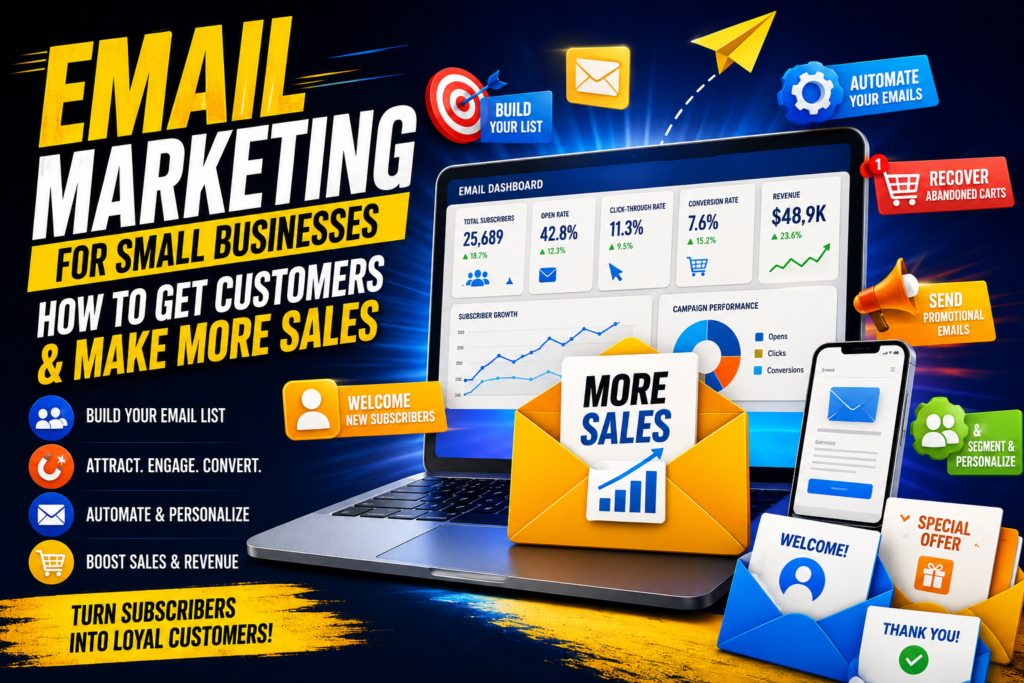
Email Marketing for Small Business: How to Get Customers & Make More Sales
Learn email marketing for small business with proven strategies for building an email list, automating campaigns, increasing sales, and turning subscribers into loyal customers.
Your Next Customer Could Already Be in Your Inbox
Imagine you run a small online store.
Someone visits your website, looks at three products, adds one to their cart, and then disappears.
You could hope they remember your business and come back.
Or you could have an email system that automatically reminds them about the product, answers their questions, offers useful information, and eventually encourages them to complete the purchase.
That is the power of email marketing for small business.
Unlike social media, where your posts compete against thousands of other posts for attention, email gives you a direct communication channel with people who have already shown interest in your business.
And you don’t need millions of subscribers.
A small, targeted email list can be incredibly valuable when you understand how to communicate with subscribers, segment your audience, personalize your messages, and automate repetitive tasks.
Whether you’re running an online store, blog, consulting business, agency, SaaS company, restaurant, local service, or personal brand, email marketing can help you:
- Generate more sales
- Build relationships with customers
- Bring previous customers back
- Promote products and services
- Distribute content
- Build brand loyalty
- Automate marketing tasks
- Reduce dependence on social media algorithms
The good news? You don’t need a complicated marketing department to get started.
You need a good strategy, the right email marketing software, valuable content, and consistency.
Let’s break it down.
Table of Contents
- What Is Email Marketing for Small Business?
- Why Email Marketing Still Matters
- How to Build an Email List
- Create a Valuable Lead Magnet
- Use Landing Pages to Capture Subscribers
- Create a Welcome Email Sequence
- Send Promotional Emails
- Use Abandoned-Cart Emails
- Understand Email Automation
- Segment Your Email List
- Personalize Your Emails
- Understand Open Rates and Click-Through Rates
- Create an Effective Email Newsletter
- Common Email Marketing Mistakes
- Choosing Email Marketing Software
- Simple Email Marketing Strategy for Beginners
- Real-World Example
- Frequently Asked Questions
- Final Thoughts
1. What Is Email Marketing for Small Business?
Email marketing is the practice of using email to communicate with current and potential customers.
For a small business, this might include sending:
- Welcome emails
- Promotional offers
- Product announcements
- Educational content
- Weekly newsletters
- Discount codes
- Abandoned-cart reminders
- Event invitations
- Customer surveys
- Personalized recommendations
The goal isn’t simply to send emails.
The goal is to move subscribers through a customer journey.
For example:
Website visitor → Email subscriber → Engaged subscriber → Customer → Repeat customer
A good email marketing strategy helps you build that relationship over time.
2. Why Email Marketing Still Matters
You might wonder:
“With TikTok, Instagram, YouTube, Facebook, and other platforms, why should I bother with email?”
Because social media audiences aren’t
completely under your control.
An algorithm can change.
Your reach can decrease.
An account can experience restrictions.
But your email list gives you a direct communication channel with people who voluntarily subscribed to hear from your business.
Email can support multiple stages of the customer journey
For example:
| Customer Stage | Email Marketing Goal |
| New visitor | Capture their email |
| New subscriber | Build trust |
| Interested prospect | Educate them |
| Ready-to-buy customer | Promote your offer |
| Existing customer | Encourage another purchase |
| Loyal customer | Reward and retain them |
The important lesson is that email marketing isn’t just about selling.
If every email says “BUY NOW!”, subscribers may eventually stop paying attention.
Instead, balance promotional messages with useful content.
A simple rule is:
Provide value → build trust → make relevant offers.
3. How to Build an Email List
The foundation of email marketing is your email list.
But don’t make the mistake of buying a list.
A list of 50,000 random email addresses isn’t necessarily better than a list of 1,000 people who genuinely want what you offer.
Focus on attracting the right people.
Ways to build an email list include:
- Website signup forms
- Landing pages
- Blog posts
- Lead magnets
- Checkout forms
- Free trials
- Webinars
- Online courses
- Contests
- Social media
- YouTube videos
- Digital products
For example, a personal finance website could offer:
“Free Budget Planner: Download Our 2026 Monthly Budget Template.”
A visitor enters their email address to receive it.
Now the business has a subscriber who has already demonstrated an interest in personal finance.
That’s much more valuable than randomly collecting addresses.
Actionable tip
Put email signup opportunities in strategic places on your website:
- Homepage
- Blog posts
- Footer
- About page
- Resource pages
- Exit-intent popups
- Product pages
But avoid overwhelming visitors with signup forms everywhere.
4. Create a Valuable Lead Magnet
A lead magnet is something valuable you offer for free in exchange for someone’s email address.
It’s one of the most effective techniques for email list building.
Lead magnet examples
If you’re in fitness:
“7-Day Beginner Workout Plan”
If you’re in business:
“Small Business Marketing Checklist”
If you’re in technology:
“AI Tools for Small Businesses: Free Guide”
If you’re a photographer:
“10 Free Lightroom Presets”
If you’re a blogger:
“50 Blog Post Ideas for 2026”
If you’re an online store:
“Get 10% Off Your First Order”
The best lead magnets solve a specific problem.
Instead of:
“Subscribe to our newsletter.”
Try:
“Download the Free 30-Day Social Media Content Calendar.”
The second offer gives people a specific reason to subscribe.
5. Use Landing Pages to Capture Subscribers
A landing page is a page designed around one primary goal.
For email marketing, that goal is usually getting visitors to subscribe.
A strong landing page should include:
A clear headline
Tell visitors what they’re getting.
Example:
“Get Our Free 30-Day Content Calendar.”
A benefit-focused description
Explain how the resource helps them.
A simple form
Usually, ask for only the information you actually need.
For example:
First Name
Email Address
A strong call-to-action
Instead of:
Submit
Try:
Get My Free Calendar
or:
Send Me the Guide
Small changes like this can make your offer clearer.
6. Create a Welcome Email Sequence
One of the first automated campaigns you should create is a welcome sequence.
This is a series of emails automatically sent after someone joins your list.
A simple sequence might look like this:
| Timing | Purpose | |
| Email 1 | Immediately | Deliver lead magnet + welcome |
| Email 2 | Day 1 | Introduce your business |
| Email 3 | Day 3 | Provide useful advice |
| Email 4 | Day 5 | Share a success story |
| Email 5 | Day 7 | Introduce product/service |
Example
Suppose you sell skincare products.
Your first email could deliver a free skincare guide.
Your second email might explain your brand story.
Your third could teach subscribers how to build a simple skincare routine.
Your fourth could show customer results.
Your fifth could introduce your bestselling product.
This sequence gradually moves someone from new subscriber → informed prospect → potential customer.
7. Send Promotional Emails
Promotional emails are designed to generate sales.
They might announce:
- Discounts
- New products
- Limited-time offers
- Seasonal sales
- Special bundles
- Free shipping
- Product launches
- Events
However, effective promotional emails aren’t necessarily aggressive.
Instead of simply saying:
“BUY NOW! 30% OFF!”
Explain why the offer matters.
For example:
“Our bestselling productivity planner is now 30% off until Sunday. If you’ve been struggling to stay organized, this is a great time to try it.”
Then provide a clear CTA.
Shop the Planner
Create urgency carefully
Phrases such as:
- Ends Sunday
- Limited availability
- Early access
- Offer expires tonight
can encourage action.
But don’t create fake urgency.
If every email claims something is “ending tonight,” customers will eventually stop believing you.
8. Use Abandoned-Cart Emails
If you sell products online, abandoned-cart emails can become one of your most useful automated campaigns.
A customer adds something to their cart but doesn’t complete the purchase.
Instead of losing that potential sale forever, an automated email can remind them.
Example sequence
Email 1:
“Did you forget something?”
Email 2:
“Your items are still waiting for you.”
Email 3:
“Complete your order before the offer ends.”
The first reminder doesn’t necessarily need a discount.
Sometimes the customer simply got distracted.
Why this works
The customer has already demonstrated purchase intent.
They aren’t a completely cold prospect.
They were interested enough to add the product to their cart.
9. Understand Email Automation
Email automation allows you to send specific emails automatically based on actions or conditions.
For example:
Someone subscribes → Welcome sequence starts
Someone purchases → Customer thank-you email
Someone abandons cart → Reminder email
Someone hasn’t opened emails for 90 days → Re-engagement campaign
Automation saves time and allows your business to communicate with customers even when you’re sleeping.
Useful automated campaigns
Consider creating:
- Welcome sequence
- Abandoned-cart sequence
- Purchase confirmation
- Customer onboarding
- Product recommendation
- Birthday campaign
- Re-engagement campaign
- Review request
- Post-purchase education
- Upsell campaign
You don’t need to create all of these on day one.
Start with the most important ones.
10. Segment Your Email List
Not every subscriber is the same.
Someone who purchased yesterday shouldn’t necessarily receive the same email as someone who hasn’t purchased anything.
That’s where segmentation comes in.
You can segment subscribers based on:
- Location
- Purchase history
- Interests
- Website behavior
- Email engagement
- Products viewed
- Customer status
- Signup source
Example
Imagine an online clothing store.
Instead of sending one email to everyone, you could create segments such as:
Women’s fashion
Men’s fashion
Accessories
Previous customers
New subscribers
VIP customers
Now your messages can become more relevant.
11. Personalization
Segmentation tells you who you’re talking to.
Personalization helps determine how you talk to them.
Instead of:
“Hello customer.”
You could use:
“Hi Sarah, here’s something you might love.”
But personalization goes beyond inserting someone’s name.
You can personalize based on:
- Previous purchases
- Interests
- Location
- Browsing behavior
- Content preferences
- Customer status
For example:
If someone purchased running shoes, you might recommend running socks rather than random kitchen products.
The more relevant your email is, the more likely the subscriber is to engage with it.
12. Understand Open Rates and Click-Through Rates
Two important email marketing metrics are open rate and click-through rate (CTR).
Open rate
This measures the percentage of recipients who open your email.
A simplified example:
You send an email to 1,000 subscribers.
If 300 people open it:
Open rate = 30%
Click-through rate
CTR measures how many recipients click a link in your email.
If 1,000 people receive an email and 50 click your main link:
CTR = 5%
These metrics can help you understand whether your emails are getting attention and driving action.
However, don’t obsess over one number.
Your ultimate goal isn’t simply getting people to open emails.
It’s generating meaningful outcomes such as:
- Website visits
- Leads
- Sales
- Registrations
- Downloads
- Customer engagement
Also keep in mind that email privacy features and changes in email platforms can make open-rate data less precise than it once was. Use multiple metrics when evaluating performance.
13. Create an Effective Email Newsletter
An email newsletter is a recurring email that provides useful content to subscribers.
For example, a technology website might send a weekly newsletter containing:
- AI news
- New technology
- Helpful tools
- Tutorials
- Product recommendations
A business website could send:
Monday Marketing Digest
Featuring:
- Three marketing tips
- One useful tool
- One case study
- One recommended article
Your newsletter doesn’t have to be complicated.
A simple structure could be:
Headline
Short introduction.
Main tip
Useful information.
Recommended resource
Link to an article, product, or service.
Call-to-action
Tell readers what to do next.
Consistency matters more than creating an enormous newsletter every week.
14. Common Email Marketing Mistakes
Even a good email marketing strategy can fail if you make basic mistakes.
Mistake #1: Buying email lists
Avoid purchasing random email lists.
Quality matters more than quantity.
Mistake #2: Sending too many emails
Nobody wants 12 promotional emails every day.
Find a frequency your audience can tolerate.
Mistake #3: Making every email a sales pitch
Teach.
Help.
Entertain.
Then sell when appropriate.
Mistake #4: Ignoring mobile users
Many people read email on smartphones.
Make sure your emails are mobile-friendly.
Mistake #5: Weak subject lines
Your subject line needs to make the reader interested enough to open the email.
Examples:
Weak:
Our New Product
Better:
Meet the New Tool Designed to Save You 5 Hours a Week
Mistake #6: No clear CTA
Don’t make readers guess what to do.
Tell them.
Download the Guide
Shop Now
Read the Article
Book a Consultation
Mistake #7: Not testing
Experiment with:
- Subject lines
- CTAs
- Images
- Email length
- Sending times
- Offers
15. Choosing Email Marketing Software
The right email marketing software makes it easier to manage subscribers, create campaigns, build forms, automate emails, and analyze performance.
Popular platforms include:
- Mailchimp
- Brevo
- Kit
- MailerLite
- ActiveCampaign
- Klaviyo
The best choice depends on your business model, budget, audience size, automation requirements, and whether you’re primarily selling products or content.
Email marketing software comparison
| Platform | Best For | Automation | Ease of Use | Ecommerce Focus |
| Mailchimp | Beginners & small businesses | Good | Easy | Good |
| Brevo | Budget-conscious businesses | Good | Easy | Good |
| MailerLite | Creators & small businesses | Good | Very Easy | Moderate |
| Kit | Creators & newsletters | Strong | Easy | Moderate |
| ActiveCampaign | Advanced automation | Excellent | Moderate | Good |
| Klaviyo | Ecommerce | Excellent | Moderate | Excellent |
Before choosing software, check the current pricing, subscriber limits, automation features, integrations, and sending restrictions, because these change over time.
16. A Simple Email Marketing Strategy for Beginners
If you’re starting from zero, don’t try to build a giant marketing machine immediately.
Start with this five-step system.
Step 1: Create a lead magnet
Give your target customer something genuinely useful.
Step 2: Build a landing page
Create a simple page explaining the benefit of the lead magnet.
Step 3: Create a welcome sequence
Build 3–5 emails that introduce your business and provide value.
Step 4: Start a newsletter
Send useful content consistently.
Step 5: Add automation
Once you understand your audience, add campaigns such as abandoned carts, post-purchase emails, and re-engagement sequences.
This creates a simple funnel:
Traffic → Landing Page → Email List → Welcome Sequence → Newsletter → Offer → Customer
17. Real-World Example: How a Small Online Store Could Use Email Marketing
Imagine a small business called Luna Home, which sells home décor products online.
The business gets 5,000 website visitors per month.
Instead of trying to immediately sell to every visitor, Luna Home offers a free downloadable guide:
“10 Ways to Make Your Home Look More Expensive on a Budget.”
Visitors enter their email address.
Now suppose 500 people subscribe.
Luna Home sends them:
Day 0: Free guide + welcome message
Day 2: Home styling tips
Day 4: Before-and-after customer examples
Day 6: Recommended products
Day 8: Limited promotional offer
Some subscribers purchase.
Luna Home can then place those customers into a separate segment.
Customers might receive:
- Thank-you emails
- Product-care tips
- Related product recommendations
- Review requests
- VIP offers
Meanwhile, subscribers who haven’t purchased can continue receiving educational content and relevant offers.
That’s a basic but powerful email marketing strategy.
18. Actionable Email Marketing Tips for Small Businesses
Here are practical steps you can implement immediately.
1. Start collecting emails today
Don’t wait until you have thousands of visitors.
2. Create one strong lead magnet
Make it specific and useful.
3. Write a welcome sequence
Don’t leave new subscribers wondering who you are.
4. Keep your emails focused
One email should generally have one main goal.
5. Use strong subject lines
Make them clear, useful, and curiosity-driven without becoming clickbait.
6. Segment your audience
Different customers have different needs.
7. Personalize when useful
Relevant recommendations are more powerful than generic messages.
8. Automate repetitive campaigns
Set up workflows that work without constant manual effort.
9. Test your emails
Experiment and learn what your audience responds to.
10. Track business results
Don’t measure success only by subscribers.
Look at leads, conversions, revenue, and customer retention.
19. Frequently Asked Questions
Is email marketing good for small businesses?
Yes. Email marketing can help small businesses generate leads, nurture prospects, increase sales, retain customers, and build long-term relationships.
The key is having a relevant audience and providing useful content rather than simply sending constant advertisements.
How do I start email marketing for my small business?
Start by choosing email marketing software, creating a signup form, developing a useful lead magnet, building an email list, and creating a basic welcome sequence.
After that, begin sending regular newsletters and promotional emails.
How many emails should a small business send?
There is no universal number.
Your ideal frequency depends on your audience and business.
A weekly newsletter is a reasonable starting point for many businesses, while ecommerce brands may communicate more frequently.
The important thing is to remain useful and avoid overwhelming subscribers.
What is the best email marketing software for beginners?
There isn’t one universal winner.
MailerLite, Brevo, and Mailchimp can be relatively approachable for beginners, while platforms such as ActiveCampaign and Klaviyo are better suited to businesses that need more advanced automation or ecommerce functionality.
What is a good email open rate?
There isn’t one universal “good” open rate because results vary considerably by industry, audience, list quality, email type, and measurement methodology.
Instead of chasing a specific benchmark, compare your performance against your own historical results and focus on meaningful business outcomes.
How can I increase my email click-through rate?
Try making your emails more relevant, improving your CTA, simplifying the design, using stronger offers, segmenting subscribers, and testing different messaging.
Most importantly, make sure the link provides something your subscriber actually wants.
Should I buy an email list?
Generally, no.
Build an organic list of people who have voluntarily subscribed to hear from your business.
A smaller engaged list can be significantly more valuable than a huge list of uninterested recipients.
What is email automation?
Email automation is the process of automatically sending emails based on specific triggers or subscriber actions.
For example, someone joining your list can automatically receive a welcome sequence.
What is email segmentation?
Segmentation involves dividing your email subscribers into groups based on characteristics or behavior.
For example, an online store might separate new subscribers, existing customers, VIP customers, and subscribers interested in different product categories.
Conclusion: Turn Your Email List Into a Business Asset
Social media can help you get attention.
Search engines can help you get discovered.
Advertising can help you reach new audiences.
But email marketing for small business gives you something incredibly valuable: a direct relationship with people who have chosen to hear from you.
And you don’t need a massive audience to benefit.
Start with 100 engaged subscribers.
Give them something useful.
Welcome them properly.
Send valuable newsletters.
Create relevant offers.
Segment your audience.
Automate repetitive tasks.
Study your results.
Then improve.
The businesses that succeed with email marketing aren’t necessarily the ones sending the most emails. They’re the ones sending the right message to the right person at the right time.
If you build your email list consistently and treat subscribers like real people rather than numbers on a dashboard, your list can become one of the most valuable marketing assets your small business owns.
Start small. Build trust. Provide value. Automate what you can. And give people a reason to look forward to seeing your name in their inbox.
