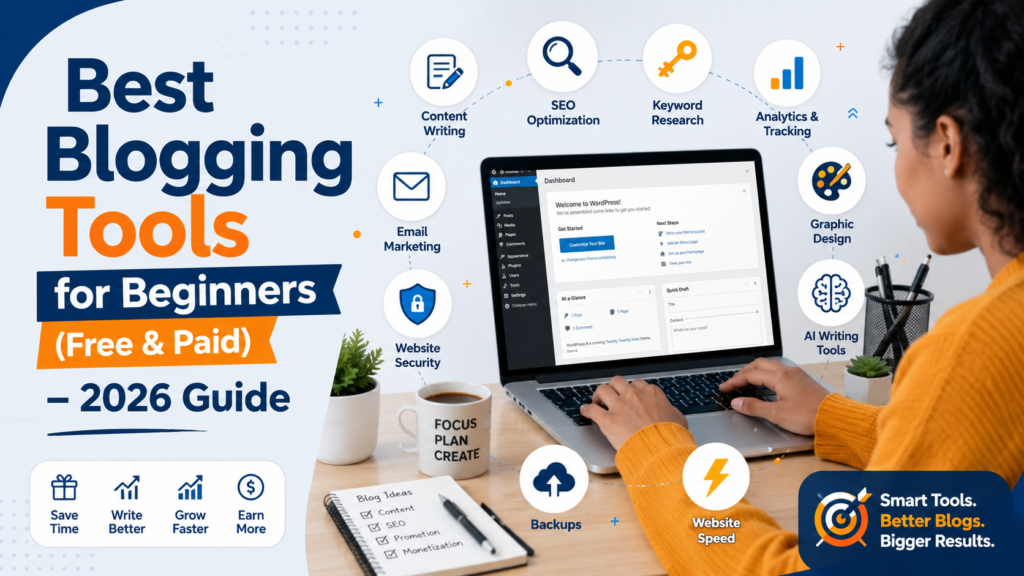
Best Blogging Tools for Beginners (Free & Paid): The Ultimate 2026 Guide
Best Blogging Tools for Beginners (Free & Paid) – The Ultimate 2026 Guide
Discover the best blogging tools for beginners in 2026. Compare free and paid blogging tools for writing, SEO, keyword research, design, email marketing, website speed, and more.
Best Blogging Tools for Beginners (Free & Paid): The Ultimate 2026 Guide
Starting a blog has never been easier—but building a successful one requires more than simply publishing articles.
Every successful blogger relies on a collection of tools that simplify writing, improve SEO, create eye-catching graphics, manage websites, track visitors, and grow an audience.
The good news is that you don’t need to spend thousands of dollars to build a professional blog. Many of today’s best blogging tools offer generous free plans, allowing beginners to compete with experienced bloggers.
Whether you’re launching your very first website or looking to upgrade your blogging workflow, choosing the right tools can save countless hours while helping your content rank higher in search engines.
This guide covers the best blogging tools for beginners in 2026, including both free and paid options. You’ll learn what each tool does, who it’s best for, pricing, pros and cons, and how to build a complete blogging toolkit without breaking your budget.
⸻
Table of Contents
- Why Blogging Tools Matter
- Essential Categories of Blogging Tools
- Best Website Platforms
- Best Writing Tools
- Best Grammar & Editing Tools
- Best AI Writing Assistants
- Best Keyword Research Tools
- Best SEO Plugins
- Best Graphic Design Tools
- Best Image Optimization Tools
- Best Email Marketing Tools
- Best Analytics Tools
- Best Website Speed Tools
- Best Backup & Security Tools
- Best Free Blogging Toolkit
- Best Paid Blogging Toolkit
- Comparison Table
- Actionable Tips
- Frequently Asked Questions
- Conclusion
⸻
Why Blogging Tools Matter
Imagine trying to build a house using only a hammer. Technically, it’s possible—but it would take forever.
Blogging works the same way.
The right tools help you:
- Write faster
- Find profitable keywords
- Improve SEO
- Create professional graphics
- Increase website speed
- Grow an email list
- Analyze visitor behavior
- Protect your website
- Earn more revenue
Instead of replacing your effort, blogging tools multiply your productivity.
⸻
Essential Categories of Blogging Tools
Every beginner should have tools for:
- Website management
- Content writing
- SEO optimization
- Keyword research
- Graphic design
- Analytics
- Email marketing
- Website security
- Website backups
- Speed optimization
⸻
1. WordPress
Best For
Building professional blogs.
Free or Paid
Free (hosting required)
Why Beginners Love It
WordPress powers over 40% of websites worldwide because it’s flexible, beginner-friendly, and SEO-ready.
Features include:
- Thousands of themes
- Thousands of plugins
- Full customization
- Excellent SEO support
- Large community
Pros
- Free
- Highly customizable
- Excellent for SEO
- Massive ecosystem
Cons
- Requires hosting
- Small learning curve
⸻
2. Grammarly
Best For
Grammar correction and proofreading.
Pricing
- Free
- Premium available
Features
- Grammar correction
- Spelling fixes
- Tone suggestions
- Clarity improvements
Example
Instead of publishing an article with dozens of grammar mistakes, Grammarly highlights issues before readers ever see them.
⸻
3. ChatGPT
Best For
Writing assistance and brainstorming.
Great for
- Blog outlines
- Headlines
- Meta descriptions
- FAQs
- Content ideas
- Rewriting paragraphs
Remember that AI should assist your writing—not replace your expertise. Always review, fact-check, and personalize AI-generated content.
⸻
4. Google Docs
Perfect for beginners who want cloud-based writing.
Advantages
- Free
- Autosaves
- Easy collaboration
- Accessible anywhere
⸻
5. Canva
Every blogger needs graphics.
Canva helps create:
- Featured images
- Pinterest Pins
- Social media posts
- Infographics
- YouTube thumbnails
The free version is surprisingly powerful.
⸻
6. Google Keyword Planner
Price
Free
Useful for
- Keyword ideas
- Search volume
- Content planning
Although designed for advertisers, it’s an excellent starting point for beginners learning keyword research.
⸻
7. Ubersuggest
Best for beginner SEO.
Features
- Keyword research
- SEO audit
- Backlink analysis
- Competitor research
Paid plans unlock additional daily searches and deeper insights.
⸻
8. Google Search Console
One of the most important free SEO tools.
It tells you:
- Which keywords bring traffic
- Indexing problems
- Mobile usability issues
- Click-through rates
- Ranking positions
Every blogger should install it immediately after launching a website.
⸻
9. Google Analytics
Without analytics, you’re blogging blind.
Google Analytics helps track:
- Visitors
- Traffic sources
- User behavior
- Popular pages
- Conversions
These insights help you make smarter content decisions.
⸻
10. Rank Math SEO
One of the most beginner-friendly WordPress SEO plugins.
Features
- XML sitemap
- Schema markup
- SEO scoring
- Meta titles
- Meta descriptions
- Redirects
Its free version offers features many paid plugins charge for.
⸻
11. LiteSpeed Cache
Website speed affects both user experience and search rankings.
LiteSpeed Cache improves:
- Page loading
- Image optimization
- Browser caching
- CSS and JavaScript optimization
⸻
12. UpdraftPlus
Backups protect your hard work.
If your website crashes or is hacked, backups let you restore everything quickly.
Free features include:
- Scheduled backups
- Cloud storage integration
- Easy restoration
⸻
13. Wordfence Security
Security matters from day one.
Wordfence provides:
- Firewall
- Malware scanning
- Login protection
- Live traffic monitoring
⸻
14. Mailchimp
Email marketing remains one of the highest-ROI channels.
Mailchimp helps you:
- Collect subscribers
- Send newsletters
- Automate emails
- Build customer relationships
Its free plan is suitable for many beginners.
⸻
Best Free Blogging Toolkit
If you’re on a budget, this combination covers nearly everything you need:
- WordPress
- Google Docs
- Grammarly Free
- Canva Free
- ChatGPT Free
- Google Search Console
- Google Analytics
- Google Keyword Planner
- Rank Math Free
- LiteSpeed Cache
- UpdraftPlus
- Wordfence
- Mailchimp Free
You can run a professional blog with this toolkit while spending very little beyond hosting and a domain name.
⸻
Best Paid Blogging Toolkit
As your blog grows, consider upgrading to:
- Grammarly Premium
- ChatGPT Plus
- Canva Pro
- Ahrefs or Semrush
- Rank Math Pro
- ConvertKit or MailerLite for advanced email automation
These tools can save significant time and unlock advanced features, especially if your blog becomes a business.
⸻
Comparison Table
| Tool | Category | Free Version | Paid Version | Best For |
| WordPress | Website | ✅ | Hosting Costs | Blogging |
| Grammarly | Writing | ✅ | ✅ | Editing |
| ChatGPT | AI Writing | ✅ | ✅ | Content Creation |
| Canva | Graphics | ✅ | ✅ | Images |
| Google Docs | Writing | ✅ | No | Drafting |
| Google Analytics | Analytics | ✅ | No | Traffic |
| Google Search Console | SEO | ✅ | No | Rankings |
| Google Keyword Planner | Keywords | ✅ | No | Research |
| Ubersuggest | SEO | Limited | ✅ | Keyword Research |
| Rank Math | SEO | ✅ | ✅ | WordPress SEO |
| LiteSpeed Cache | Speed | ✅ | No | Website Speed |
| UpdraftPlus | Backup | ✅ | ✅ | Backups |
| Wordfence | Security | ✅ | ✅ | Protection |
| Mailchimp | ✅ | ✅ | Email Marketing |
⸻
Actionable Tips
1. Start With Free Tools
Don’t buy expensive subscriptions immediately. Learn the basics first.
⸻
2. Master One Tool at a Time
Trying to learn ten new tools in one week can be overwhelming. Focus on one category before moving to the next.
⸻
3. Keep Your Website Fast
Compress images, use caching, and avoid installing unnecessary plugins.
⸻
4. Use Analytics Weekly
Review your traffic data regularly to understand which posts perform best and where visitors come from.
⸻
5. Write for Readers First
Use SEO tools to guide your content, but always prioritize solving real problems for your audience.
⸻
6. Back Up Your Site Regularly
Automate backups so you can recover quickly if something goes wrong.
⸻
7. Build an Email List Early
Even if you only have a few visitors, start collecting email subscribers from day one. An email list gives you a direct connection with your audience.
⸻
Real-World Examples
Example 1: A Beginner Lifestyle Blogger
Sarah starts her blog using WordPress, Canva Free, Grammarly Free, and Google Docs. She writes consistently, creates attractive featured images, and gradually builds an email list. Within a year, her organized workflow helps her publish more often and improve her content quality.
Example 2: A Tech Blogger Scaling Up
After gaining steady traffic, David upgrades to Canva Pro, ChatGPT Plus, and a premium SEO tool. The additional features help him produce more in-depth articles, streamline content creation, and identify higher-value keyword opportunities, contributing to increased search traffic and affiliate income.
⸻
Frequently Asked Questions
Which blogging tool is the most important?
WordPress is the foundation for most professional blogs, while Google Search Console is essential for understanding your search performance. Together, they provide a strong starting point.
⸻
Can I start blogging for free?
Yes. Many essential tools offer free plans. You’ll usually only need to pay for web hosting and a domain name if you want your own professional website.
⸻
Is Canva enough for blogging?
Yes.
Canva can create nearly all the graphics beginners need, including blog featured images, social media posts, and infographics.
⸻
Do I really need SEO tools?
Yes.
SEO tools help you discover what people are searching for, optimize your content, and identify technical issues that could prevent your articles from ranking.
⸻
Should beginners pay for AI writing tools?
Not necessarily.
Free AI tools are often sufficient when you’re starting. Upgrade only if advanced features or higher usage limits provide clear value for your workflow.
⸻
How many blogging tools should I use?
Focus on the essentials. A small, reliable toolkit is often more productive than juggling dozens of apps you rarely use.
⸻
Conclusion
The best blogging tools don’t guarantee success—but they make success easier to achieve.
Instead of spending hours editing grammar, designing graphics, researching keywords, or fixing technical issues manually, the right tools automate repetitive tasks and let you focus on creating valuable content.
If you’re just starting, build your toolkit around free options such as WordPress, Google Docs, Canva, Grammarly, Google Search Console, Google Analytics, Rank Math, LiteSpeed Cache, UpdraftPlus, Wordfence, and Mailchimp. As your traffic and income grow, selectively upgrade to premium tools that save time or unlock features you genuinely need.
Remember that tools are only as effective as the strategy behind them. Publish consistently, prioritize helpful content, monitor your performance, improve your SEO over time, and keep learning. Combined with the right blogging toolkit, these habits will give you a strong foundation for building a successful blog in 2026 and beyond.
⸻
15 Blogging Mistakes to Avoid in 2026
How to Start a Profitable Blog in 2026
How to Choose a Profitable Blog Niche
Blogger vs WordPress: Which Is Better? (2026 Complete Comparison Guide)
How to Do Keyword Research for Beginners (2026 Guide)
Common WordPress Mistakes New Bloggers Make
