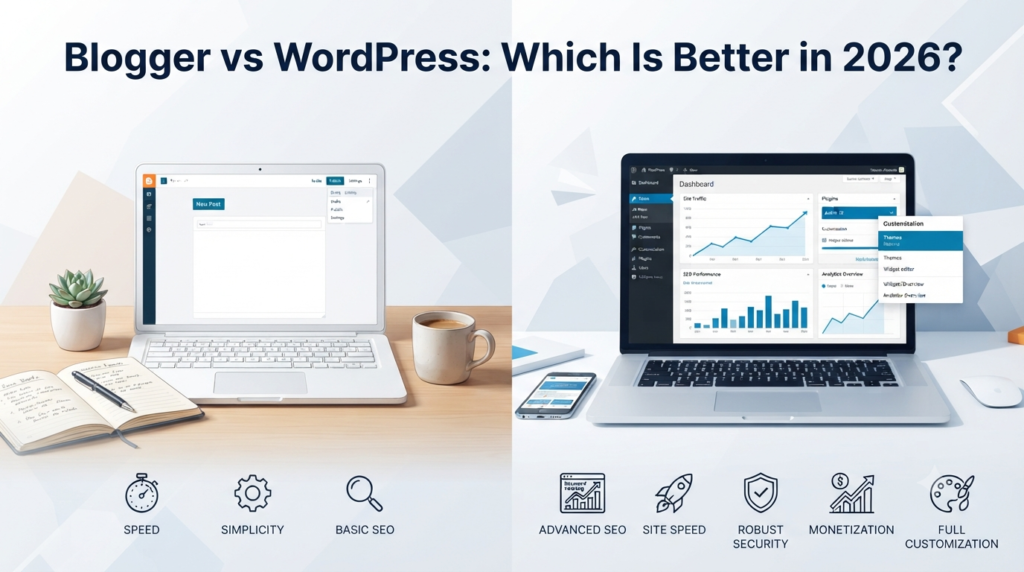
Blogger vs WordPress: Which Is Better? (2026 Complete Comparison Guide)
If you’re planning to start a blog in 2026, one of the first—and most important—decisions you’ll make is choosing the right blogging platform. With countless options available, two names continue to dominate the conversation: Blogger and WordPress.
At first glance, both platforms seem capable of helping you launch a blog. They allow you to publish articles, customize your website, and grow an audience.
However, beneath the surface, they differ significantly in terms of flexibility, ownership, customization, SEO, monetization, security, and long-term growth.
Many beginners choose Blogger because it’s free and easy to set up. Others invest in WordPress because it offers complete control and endless customization.
The challenge is knowing which platform aligns with your goals.
Are you blogging as a hobby? Do you want to build a profitable online business? Are you planning to earn money through ads, affiliate marketing, digital products, or freelance services? Your answers will determine which platform is the better choice.
In this comprehensive guide, we’ll compare Blogger and WordPress side by side across every important category. By the end, you’ll know exactly which platform is best for beginners, businesses, content creators, and anyone serious about blogging in 2026.
⸻
Table of Contents
- What is Blogger?
- What is WordPress?
- Blogger vs WordPress at a Glance
- Ease of Use
- Design and Themes
- Customization
- Plugins and Features
- Ownership and Control
- Performance
- Pros and Cons
- Real-World Examples
- (Continued in Part 2)
⸻
What Is Blogger?
Blogger is Google’s free blogging platform that has been around since 1999. It allows anyone with a Google account to create a blog in minutes without paying for hosting.
Because Google manages the servers, updates, and security, beginners don’t need technical knowledge.
Advantages of Blogger
- Completely free
- Google-hosted
- Fast setup
- Automatic backups
- Easy to use
- Reliable uptime
- Perfect for hobby blogs
Limitations
Although Blogger is beginner-friendly, it has limitations that become noticeable as your website grows.
For example:
- Limited themes
- Limited customization
- Few advanced SEO features
- No plugin ecosystem
- Less professional appearance
- Fewer monetization opportunities
- Google ultimately controls the platform
If Google ever changes Blogger’s policies or services, your website could be affected.
⸻
What Is WordPress?
WordPress is the world’s most popular Content Management System (CMS), powering more than 40% of all websites worldwide.
Unlike Blogger, WordPress gives users complete ownership and control over every aspect of their websites.
There are two versions:
- WordPress.com – Hosted by WordPress with limited customization on free plans.
- WordPress.org – Self-hosted, offering full control, unlimited customization, and access to thousands of themes and plugins.
When people recommend WordPress for blogging, they are almost always referring to WordPress.org.
Advantages of WordPress
- Full ownership
- Unlimited customization
- Thousands of themes
- Over 60,000 plugins
- Excellent SEO
- Highly scalable
- Supports eCommerce
- Membership websites
- Online courses
- Business websites
- Portfolio websites
- Forums
- News websites
⸻
Blogger vs WordPress at a Glance
| Feature | Blogger | WordPress |
| Price | Free | Hosting + domain required |
| Ease of Use | ⭐⭐⭐⭐⭐ | ⭐⭐⭐⭐☆ |
| Customization | Limited | Unlimited |
| Themes | Few | Thousands |
| Plugins | None | 60,000+ |
| SEO | Basic | Advanced |
| Monetization | Limited | Excellent |
| Ownership | Google controls platform | You own everything |
| Scalability | Moderate | Excellent |
| Best For | Hobby bloggers | Professional bloggers & businesses |
⸻
Ease of Use
Blogger
If you’ve never built a website before, Blogger is incredibly easy to learn.
You simply:
- Sign in with Google.
- Choose a blog name.
- Select a template.
- Start writing.
There are no hosting accounts, plugin installations, or software updates to worry about.
For complete beginners, Blogger offers one of the simplest blogging experiences available.
Blogger Rating
⭐⭐⭐⭐⭐ (5/5)
⸻
WordPress
WordPress has a slightly steeper learning curve.
You’ll need to:
- Purchase hosting
- Connect a domain name
- Install WordPress
- Choose a theme
- Install plugins
- Configure settings
Fortunately, most web hosting companies now offer one-click WordPress installation, making setup much easier than it was a few years ago.
Once you understand the basics, WordPress becomes just as easy to manage while offering far more flexibility.
WordPress Rating
⭐⭐⭐⭐☆ (4.5/5)
Winner: Blogger for absolute beginners.
⸻
Design and Themes
A professional-looking blog builds trust with visitors.
Blogger Themes
Blogger includes a small collection of free templates.
Although they work well for personal blogs, many appear outdated compared to modern websites.
Customization options are fairly limited unless you edit HTML and CSS manually.
Pros
- Free
- Mobile responsive
- Easy customization
Cons
- Small selection
- Older designs
- Limited flexibility
⸻
WordPress Themes
WordPress offers one of the largest theme ecosystems in the world.
You can choose from:
- Free themes
- Premium themes
- Magazine themes
- Portfolio themes
- Business themes
- WooCommerce themes
- Landing page themes
Popular themes include:
- Astra
- GeneratePress
- Kadence
- OceanWP
- Neve
Most themes allow extensive customization without touching any code.
Winner
WordPress wins easily.
⸻
Customization
Customization is where WordPress truly shines.
Blogger
Customization is mostly limited to:
- Fonts
- Colors
- Widgets
- Layout
- HTML editing
Advanced functionality usually requires manual coding.
⸻
WordPress
WordPress allows you to add almost any feature imaginable through plugins and page builders.
Examples include:
- Contact forms
- SEO tools
- Online stores
- Membership systems
- Learning management systems
- Forums
- Booking systems
- Live chat
- AI integrations
- Email marketing
- Analytics
- Website security
- Speed optimization
Whether you’re building a personal blog or a large business website, WordPress can adapt to your needs.
Winner
WordPress by a wide margin.
⸻
Ownership and Control
One of the biggest differences between Blogger and WordPress is who owns your website.
Blogger
Your content belongs to you, but your blog exists on Google’s platform.
Google can:
- Update the platform
- Change policies
- Remove services
- Suspend accounts that violate its terms
Although this is uncommon for legitimate websites, you don’t have complete control.
⸻
WordPress
With self-hosted WordPress:
- You own your files.
- You own your database.
- You choose your hosting provider.
- You control backups.
- You decide when to update.
- You can move your website anytime.
This level of ownership is essential for businesses and bloggers planning long-term growth.
Winner
WordPress.
⸻
Performance
Blogger
Because Google hosts Blogger, websites are generally fast and reliable with minimal maintenance.
However, optimization options are limited.
⸻
WordPress
Performance depends on:
- Your hosting provider
- Theme quality
- Plugins
- Caching
- Image optimization
- CDN usage
With proper optimization, WordPress websites can be exceptionally fast—often outperforming Blogger.
Winner
Tie.
Blogger is fast by default.
WordPress can be faster with proper optimization.
⸻
Pros and Cons
Blogger Pros
- Completely free
- Extremely easy to use
- Google hosting included
- Minimal maintenance
- Reliable uptime
- Great for beginners
Blogger Cons
- Limited customization
- Fewer templates
- Basic SEO
- No plugins
- Less ownership
- Limited scalability
⸻
WordPress Pros
- Complete ownership
- Unlimited customization
- Thousands of themes
- Massive plugin library
- Excellent SEO
- Highly scalable
- Ideal for monetization
- Professional appearance
WordPress Cons
- Requires hosting
- Slight learning curve
- Ongoing maintenance
- Premium themes and plugins may add costs
⸻
Real-World Examples
Example 1: Personal Hobby Blogger
Sarah enjoys sharing recipes with friends and family. She doesn’t plan to earn money or grow a business. She simply wants an easy platform where she can publish articles without worrying about hosting or maintenance.
For Sarah, Blogger is an excellent choice because it’s free, simple to use, and requires very little technical knowledge.
Example 2: Professional Blogger
James wants to build a technology blog that generates income through display advertising, affiliate marketing, sponsored posts, and digital products.
He expects thousands of monthly visitors and plans to expand over time.
WordPress is the better option because it offers advanced SEO tools, greater customization, better monetization opportunities, and complete ownership of his website.
⸻
At this stage, WordPress has already established a strong lead in terms of flexibility, customization, and long-term growth.
However, there are still several critical factors to compare before deciding which platform is truly the best.
Pricing Comparison
One of the biggest deciding factors for beginners is cost.
Fortunately, both Blogger and WordPress can be started without spending a fortune, but their long-term costs differ significantly.
Blogger Costs
Blogger is completely free to use. Google hosts your blog, provides storage, and handles maintenance at no cost.
Typical expenses:
- Blogger platform: Free
- Hosting: Free
- SSL certificate: Free
- Subdomain (yourblog.blogspot.com): Free
- Custom domain (optional): $10–20 per year
If you’re blogging as a hobby or experimenting with content creation, Blogger is one of the cheapest ways to get online.
WordPress Costs
Self-hosted WordPress requires a few essential investments:
- Domain name: $10–20/year
- Web hosting: $3–15/month (entry-level plans)
- Premium theme (optional): $40–100 one-time
- Premium plugins (optional): Varies
Although WordPress isn’t free, the investment is relatively small considering the flexibility and growth potential it provides.
⸻
SEO Comparison
Search engine optimization (SEO) is crucial if you want Google to send free traffic to your blog.
Blogger SEO
Blogger includes basic SEO features such as:
- Custom URLs
- Meta descriptions
- Alt text for images
- Robots.txt editing
- HTTPS support
However, advanced SEO customization is limited.
Best for:
- Personal blogs
- Small websites
- Beginners
⸻
WordPress SEO
WordPress is widely regarded as the best blogging platform for SEO.
With plugins such as Rank Math or Yoast SEO, you can optimize nearly every aspect of your website, including:
- XML sitemaps
- Schema markup
- Canonical URLs
- Redirects
- Breadcrumbs
- Internal linking
- Focus keywords
- Readability analysis
- Rich snippets
These advanced features make it much easier to compete in search results.
Winner
WordPress is the clear winner for SEO.
⸻
Security
Blogger
Since Google manages Blogger, security updates, server maintenance, and spam protection are handled automatically.
This makes Blogger a low-maintenance option for beginners.
Pros
- Automatic updates
- Google’s infrastructure
- SSL included
- Minimal maintenance
⸻
WordPress
WordPress is secure, but you are responsible for maintaining it.
Good security practices include:
- Keeping WordPress updated
- Updating themes and plugins
- Using strong passwords
- Installing a security plugin
- Enabling two-factor authentication
- Scheduling regular backups
With proper maintenance, WordPress can be extremely secure.
Winner
Tie
Blogger is secure by default, while WordPress offers greater control when managed correctly.
⸻
Monetization
If your goal is to make money from blogging, monetization options matter.
Blogger
You can earn through:
- Google AdSense
- Affiliate marketing
- Sponsored posts
- Selling limited digital products
While these methods work, Blogger has fewer tools for building advanced online businesses.
⸻
WordPress
WordPress supports virtually every monetization method available, including:
- Display advertising
- Affiliate marketing
- Sponsored content
- Online courses
- Membership websites
- Digital downloads
- Physical products
- Freelance services
- Coaching
- Subscription newsletters
- Donations
This flexibility makes WordPress the preferred choice for professional bloggers and entrepreneurs.
Winner
WordPress
⸻
Scalability
Think about where you want your blog to be in five years.
Blogger
Blogger works well for smaller blogs but becomes restrictive as your audience and business grow.
WordPress
WordPress can scale from a simple personal blog to a large news website, online store, or business platform with millions of monthly visitors.
Examples of websites powered by WordPress include:
- Large online magazines
- News publications
- Company websites
- Educational platforms
- eCommerce stores
Winner
WordPress
⸻
Which Platform Is Best for Different Users?
| User Type | Recommended Platform | Reason |
| Complete beginner | Blogger | Easy setup and free hosting |
| Hobby blogger | Blogger | Low maintenance |
| Student | Blogger | Free and simple |
| Small business | WordPress | Professional features |
| Freelancer | WordPress | Portfolio and lead generation |
| Affiliate marketer | WordPress | Advanced SEO and plugins |
| Online store owner | WordPress | WooCommerce support |
| Content creator | WordPress | Better customization |
| Long-term blogger | WordPress | Scalability and ownership |
⸻
Actionable Tips
Whether you choose Blogger or WordPress, these tips will help you succeed:
- Choose a memorable domain name that reflects your niche.
- Publish high-quality content consistently. Aim for at least one valuable article each week.
- Focus on SEO by researching keywords before writing.
- Optimize images to improve loading speed.
- Build an email list from day one to stay connected with your audience.
- Promote your posts on social media and relevant online communities.
- Monitor analytics to understand which content performs best.
- Back up your website regularly, even if your platform handles some maintenance.
- Avoid installing unnecessary plugins if you’re using WordPress, as too many can slow down your site.
- Think long-term. Choose a platform that can support your future goals, not just your current needs.
⸻
Frequently Asked Questions (FAQs)
1. Is Blogger completely free?
Yes. Blogger is free to use, and Google provides hosting at no cost. You only need to pay if you want a custom domain name.
2. Is WordPress better than Blogger?
For most people who want to grow a blog into a business, yes. WordPress offers more flexibility, better SEO, greater customization, and stronger monetization options.
3. Can I move from Blogger to WordPress later?
Yes. Many bloggers start with Blogger and migrate to WordPress as their websites grow. However, migrating early is usually easier than waiting until you have hundreds of posts.
4. Which platform is better for SEO?
WordPress. Its advanced SEO plugins and customization options make it easier to optimize your content for search engines.
5. Which platform is more secure?
Both platforms can be secure. Blogger is managed by Google, while WordPress requires regular updates and good security practices.
6. Which platform is better for making money?
WordPress. It supports more monetization methods and gives you complete control over your website.
7. Do I need coding knowledge to use WordPress?
No. Most modern themes and plugins allow you to build and manage a professional website without writing code.
8. Which platform should beginners choose in 2026?
If you’re simply experimenting with blogging, Blogger is a fine starting point. But if your goal is to build a professional blog, attract search traffic, and generate income, WordPress is the better long-term investment.
⸻
Conclusion
Choosing between Blogger and WordPress ultimately depends on your goals.
If you want a free, simple platform for sharing personal stories or learning the basics of blogging, Blogger is an excellent choice. It requires very little maintenance and lets you start publishing within minutes.
However, if you’re serious about building a brand, growing organic traffic, earning income, or creating a website that can expand over time, WordPress is the clear winner.
Its unmatched flexibility, powerful SEO capabilities, extensive plugin ecosystem, and complete ownership make it the preferred platform for millions of bloggers and businesses around the world.
While WordPress requires a small investment in hosting and a bit more learning at the beginning, that investment pays off through greater opportunities for growth and monetization.
For anyone planning to build a long-term blogging business in 2026 and beyond, WordPress is the platform that offers the strongest foundation for success.
⸻
Final Verdict
| Category | Winner |
| Ease of Use | Blogger |
| Cost | Blogger |
| Customization | WordPress |
| Themes | WordPress |
| Plugins | WordPress |
| SEO | WordPress |
| Monetization | WordPress |
| Ownership | WordPress |
| Scalability | WordPress |
| Security | Tie |
| Overall Winner | WordPress 🏆 |
Blogger vs WordPress: Which Is Better in 2026? Complete Comparison Guide
Trying to choose between Blogger and WordPress? Discover the key differences in pricing, SEO, customization, security, monetization, and more in this complete 2026 comparison guide.
⸻
How to Start a Profitable Blog in 2026
How to Choose the Perfect Blogging Niche
Best Blogging Tools for Beginners
15 Blogging Mistakes to Avoid in 2026
How to Do Keyword Research for Beginners (2026 Guide)
Common WordPress Mistakes New Bloggers Make
